• Home
    • 01. DAY BOOK – Čeština
    • 01. DAY BOOK – Dansk
    • 01. DAY BOOK – English
    • 01. DAY BOOK – Español
    • 01. DAY BOOK – Español
    • 01. DAY BOOK – български

ClinicSoftware.com Knowledge Base ClinicSoftware.com Knowledge Base

ClinicSoftware.com Knowledge Base

  • HOW IT WORKS
    • Software Features
    • Marketing Features
    • Online Booking
    • Paperless Features
    • Photo And Draw Features
    • Tracking Features
    • Sell Cycle Features
    • Fully Responsive Features
    • Business Reports Features
    • Automated Features
    • Reminders Features
    • Apps Features
    • Multi Location Features
    • Add-Ons
  • WHO IT’S FOR
  • MARKETING
  • MORE
    • Support
    • Find-Us
    • Migrate To ClinicSoftware
    • How We Provide Training
    • Partner With Us
    • Academy
    • Support Chat
    • Blog
    • Editions
    • ClinicSoftware.com TV
    • GDPR
    • ICD-10 Database
    • PCI-DSS Compliant
    • Cloud Hosting
    • Latest UK Shows
    • UK Press
  • Classic Edition
  • CLOSE / RETURN TO SOFTWARE
Home Knowledge Base 9. ONLINE BOOKING - STAFF ADMIN AREA 07. REFERRALS

07. REFERRALS

27th March 2020 Posted in: 9. ONLINE BOOKING - STAFF ADMIN AREA, 9.5 ONLINE SHOP Hits: 20

Do you have a referral program in your Clinic? If not, you really have nothing to lose and everything to gain by asking for referrals.
Here’s why:
Clinic referrals narrow down a future customer’s choices, there has never been more clinics for a client to choose from.

A prospect client is more likely to visit a clinic that was recommended by a friend – it has everything to do with trust.

Referrals work for you and are a way of saying “don’t take our word for it!” The referral user gets discount on treatments based on how many referrals has. More referrals, more discounts and free treatments.
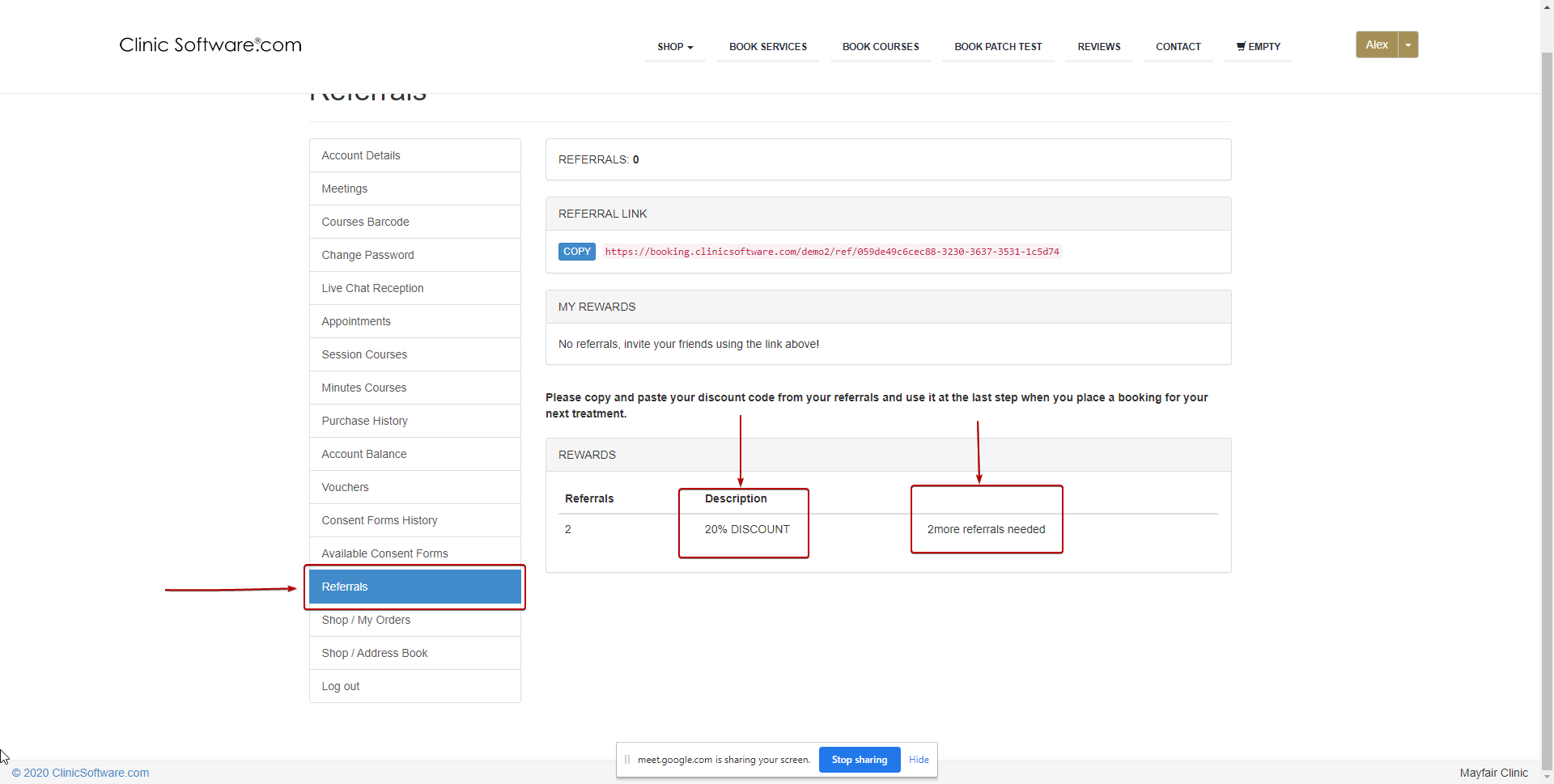
Referral admin area

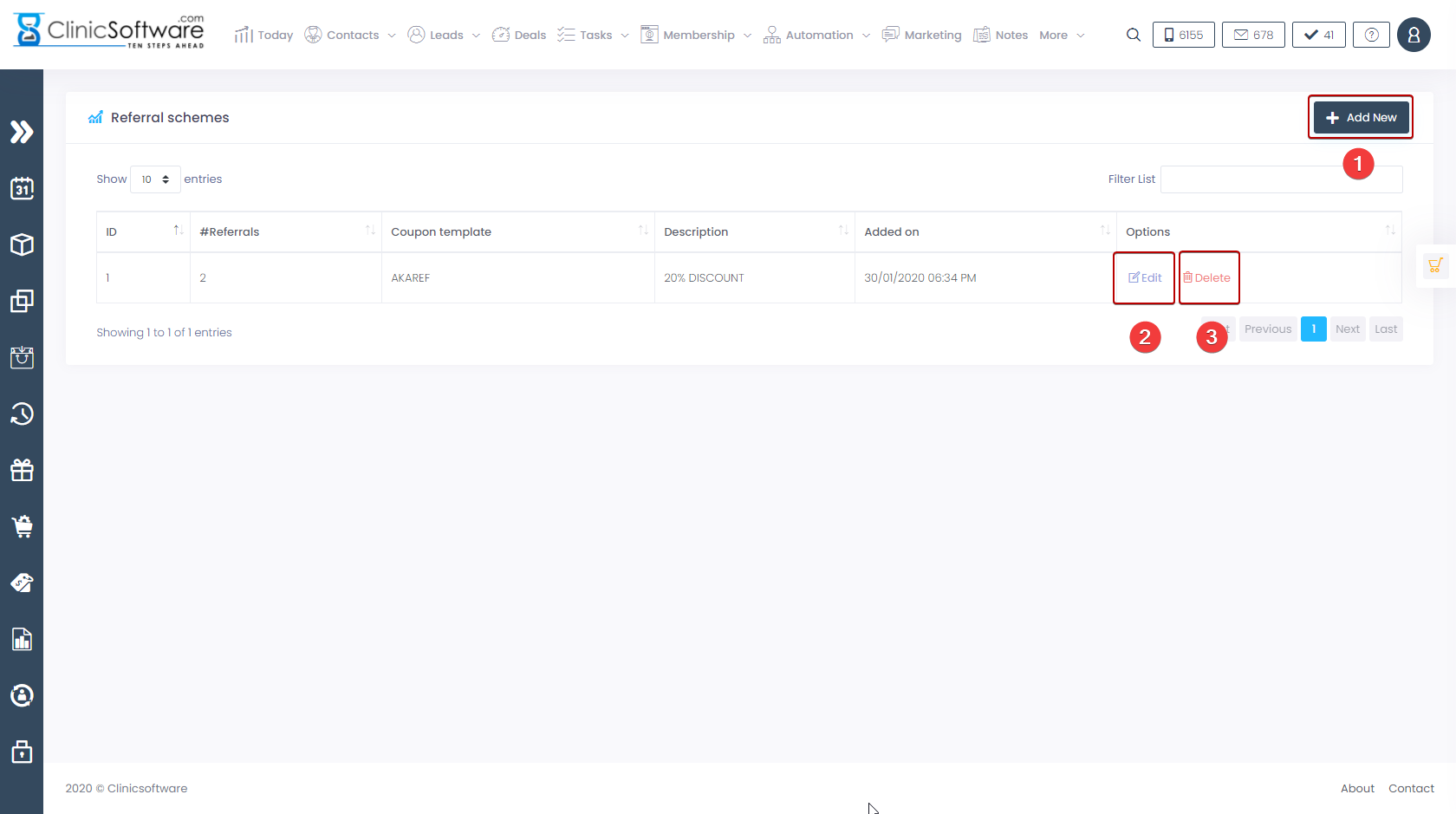
Search “referral” in admin area and press the”Referral schemes” button.

From this page you can edit the referral schemes.

  1. Press the “Add new” button to add a new referral schemes.
  2. Press the “Edit” button to edit an existing referral schemes.
  3. Press the “Delete” button to delete  an existing referral schemes.
© 2017 ClinicSoftware.com