The importance of two-way communication: Two-way communication, by definition, is the interchange of information and ideas from sender to receiver and vice versa. Sounds simple, yet many companies still fail to establish effective two-way internal communication and don’t realise the damage it’s causing.
Consistent, two-way communication encourages employees to take ownership and understand their ideas are valued – and detailed mobile analytics means you can measure and improve engagement, and introduce effective two-way communication.
Effective two-way communication is required in order to solve problems better. It helps everyone understand the business better and creates better relations throughout the company by ensuring everyone is engages with the latest business updates, objectives, and progress.
SMS has been shown, time and again, to be the single most powerful way of maintaining, strengthening and re-establishing customer relationships aside from in-Clinic contact.
To send an SMS to a client open the client profile and then press the “Send SMS” button.
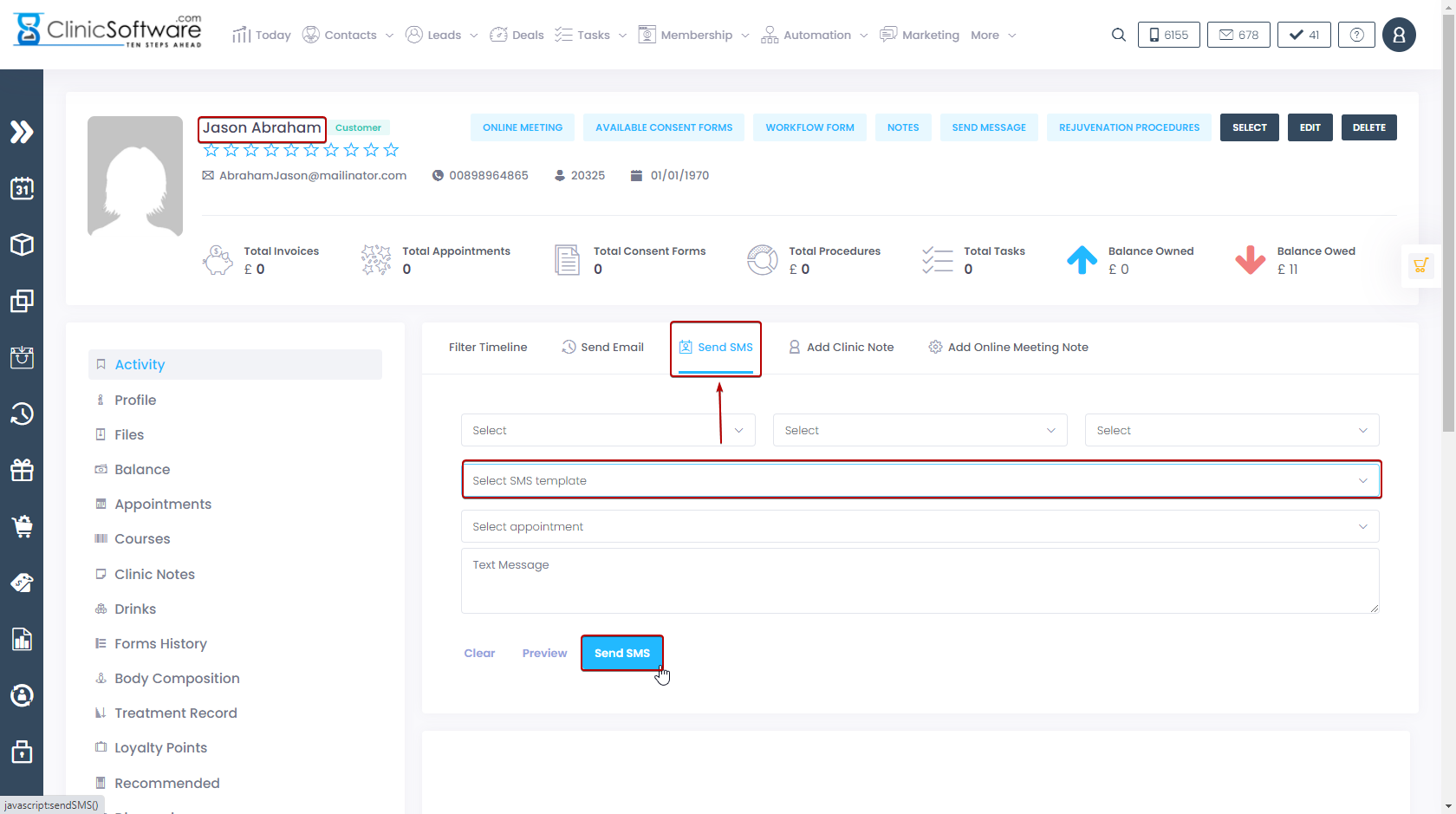
Select an SMS template and select the appointment and then press the “Send SMS” button.
SEND AND RECEIVED SMS
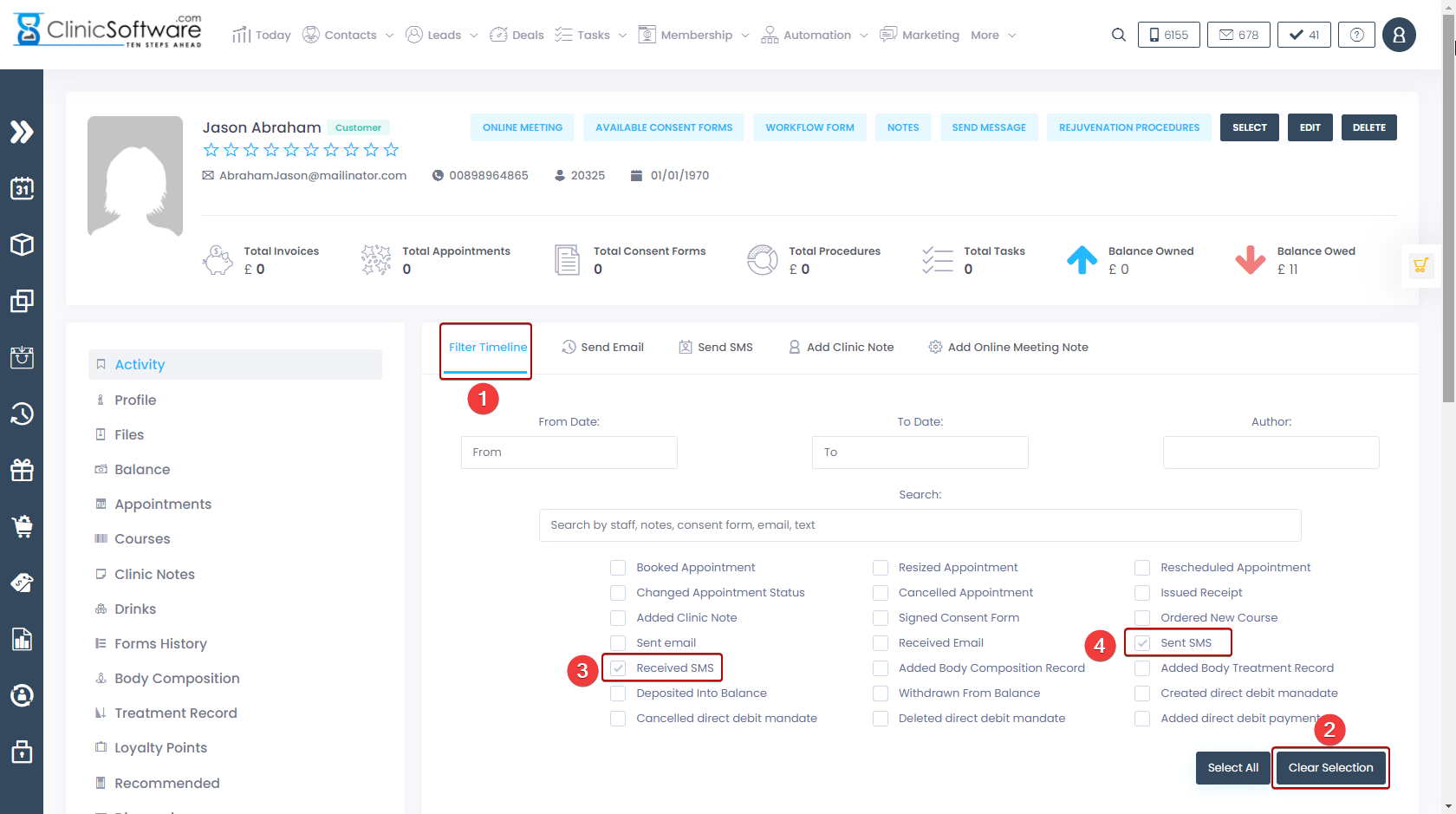
To filter the send and received SMS press the “Filter Timeline” (1) button.
Press the “Clear selection“(2) button to untick all the options.
Tick only the “SENT SMS” (3) option and the “RECEIVED SMS“(4) option.