
IMPORTANT: WE STRONGLY SUGGEST THAT YOU COMPLETE THESE SETTINGS WITH YOUR ACCOUNTANT
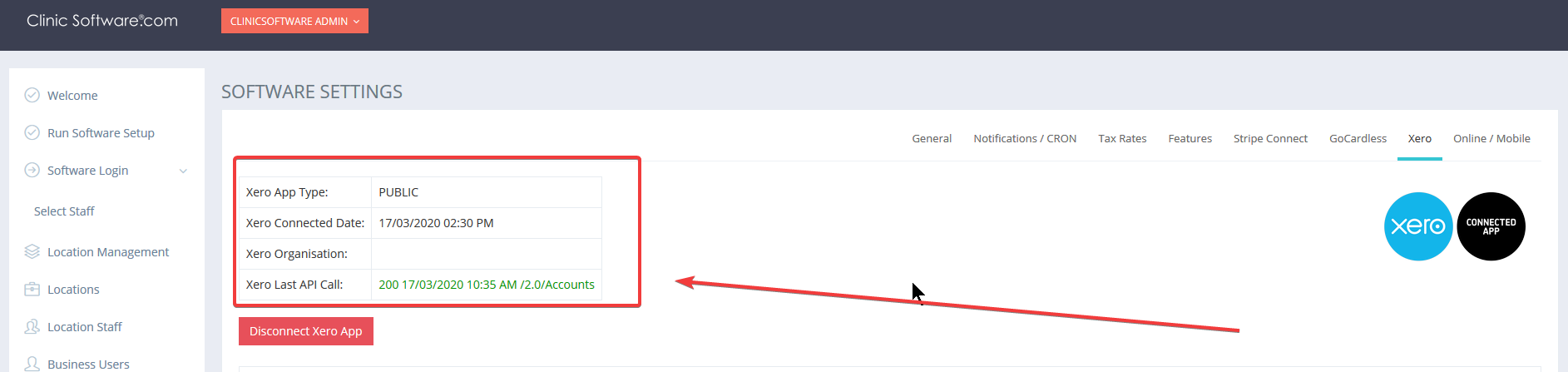
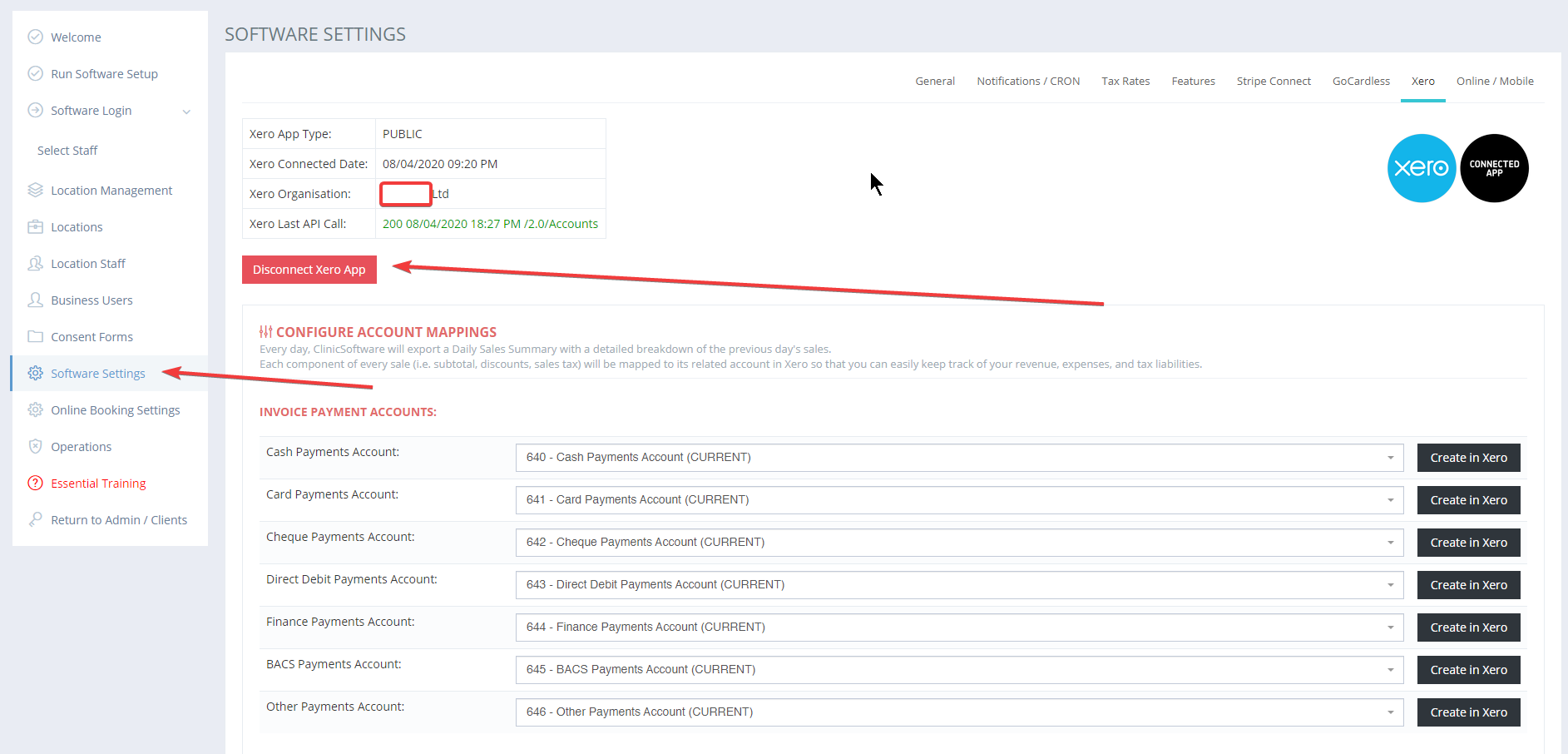
To connect with Xero you have to log in to Clinicsoftware.com and go to Software Settings.
From the Xero tab, you can click “Connect Xero App” if you haven’t connected. You will be redirected to a Xero login page where you will have to input your credentials.
Automatically reconcile invoices
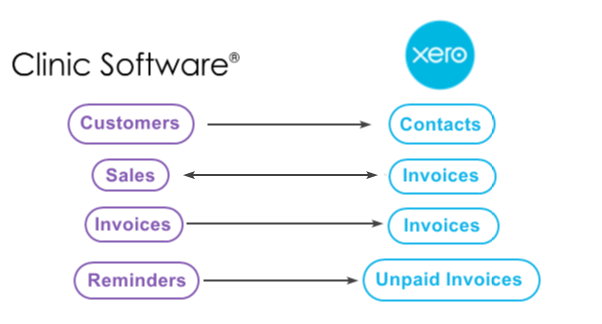
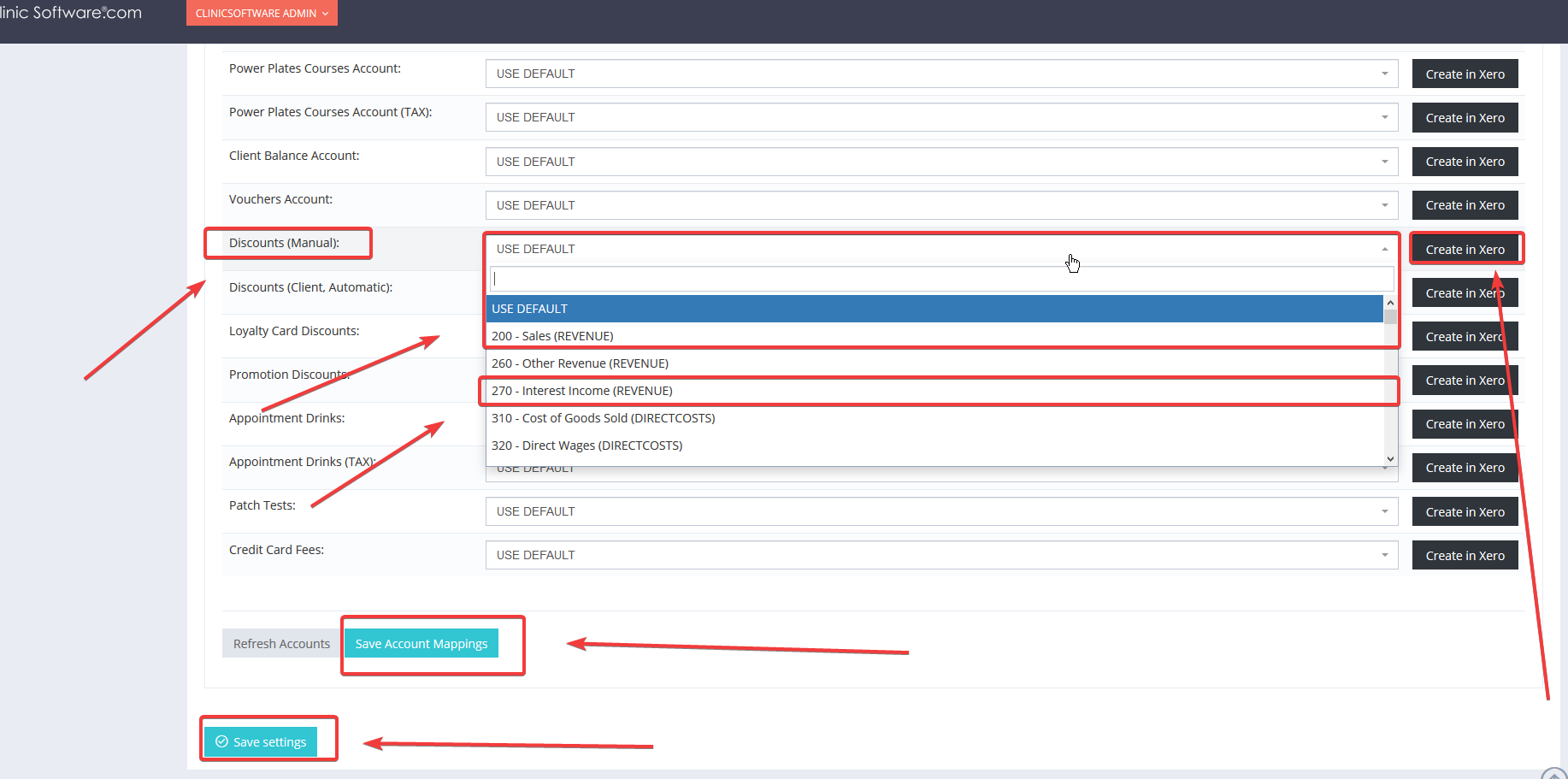
Next you will have to map your Clinicsoftware account with your Xero account. To do this you will have to select the right account from the software with the right account from XERO so the software will know where to send the amounts. Then click SAVE ACCOUNT MAPPINGS and SAVE.
Xero integration FAQ:
-
- How do I disconnect from Xero?
-
- What doesn’t your integration do?
- The seamless integration makes it simple for you to automatically collect and reconcile payments with real time updates on payments status.
-
-
- How do I reconcile sales data synced to Xero?
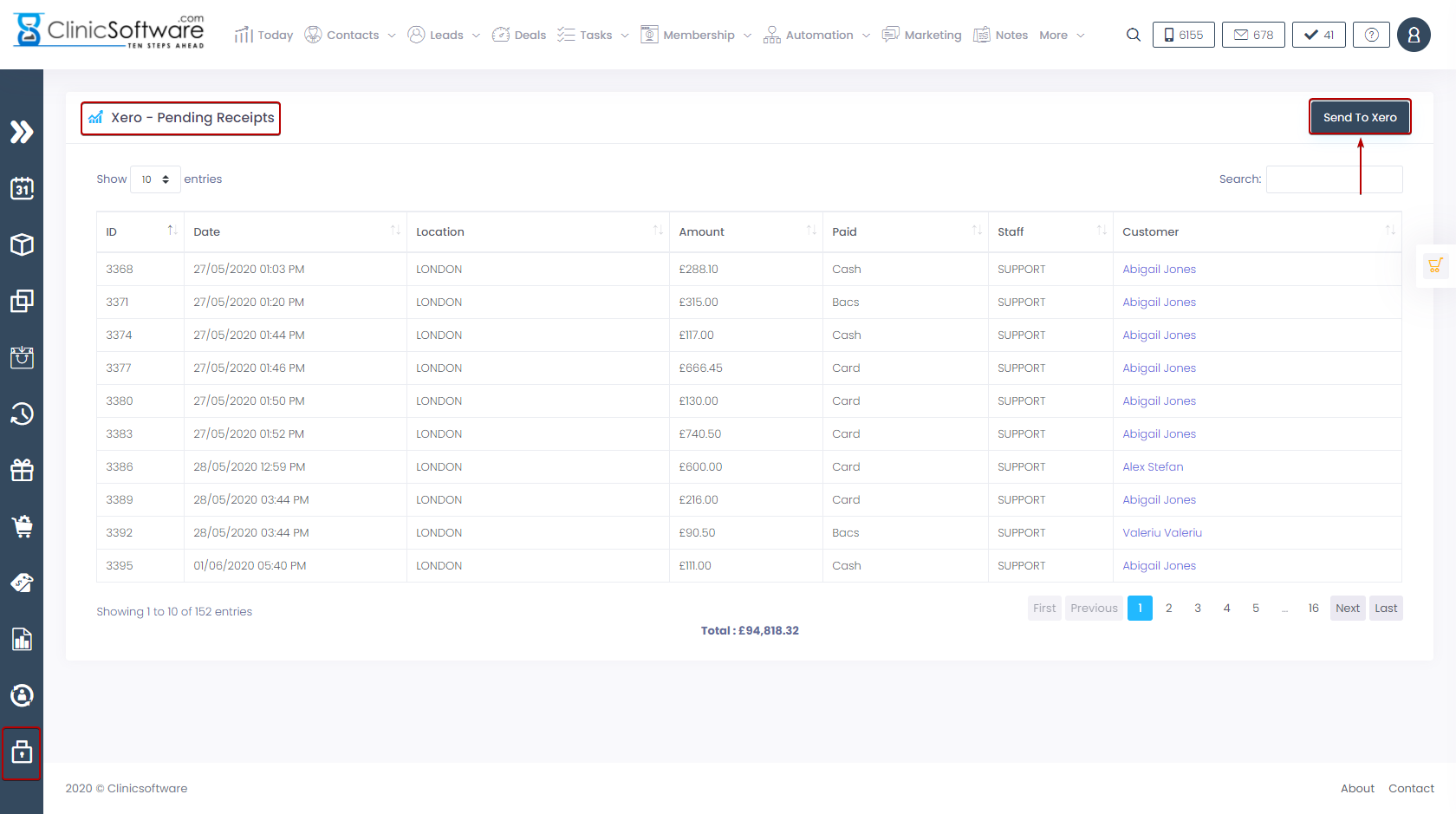
- From ADMIN ARE -> XERO PENDING RECEIPTS you can click SEND TO XERO.
-
- When and how does data sync occur? Is it manual, automatic, on login, in real-time. Are there any settings related to synchronizing?
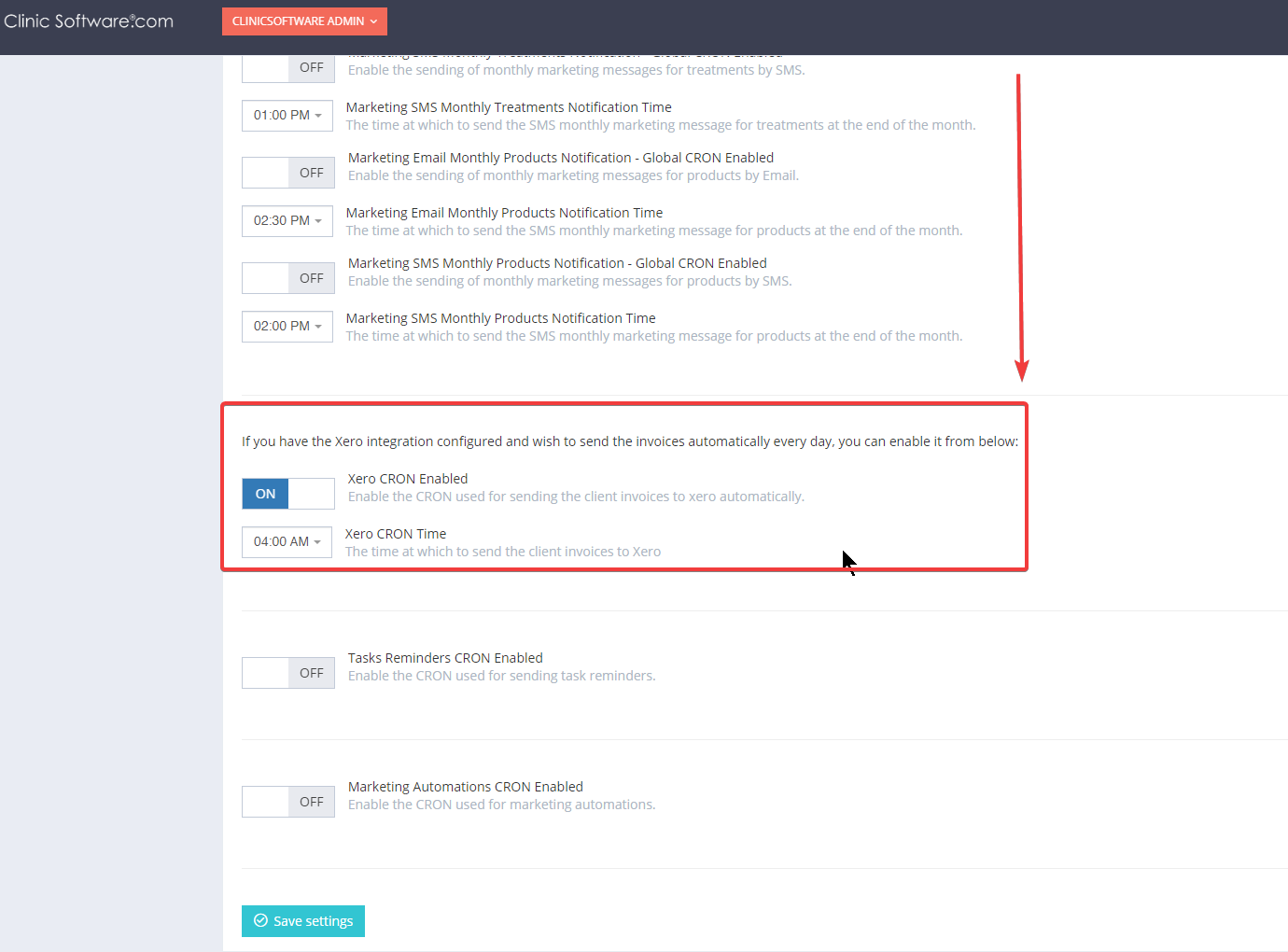
- You can sync the data manually from ADMIN ARE or you can ENABLE the CRON in order for the data to sync automatically.
For any other questions regarding XERO integration please email UkSupport@ClinicSoftware.com or open a ticket at www.Support.ClinicSoftware.com .