
• Home
    • 01. DAY BOOK – Čeština
    • 01. DAY BOOK – Dansk
    • 01. DAY BOOK – English
    • 01. DAY BOOK – Español
    • 01. DAY BOOK – Español
    • 01. DAY BOOK – български

ClinicSoftware.com Knowledge Base ClinicSoftware.com Knowledge Base

ClinicSoftware.com Knowledge Base

  • HOW IT WORKS
    • Software Features
    • Marketing Features
    • Online Booking
    • Paperless Features
    • Photo And Draw Features
    • Tracking Features
    • Sell Cycle Features
    • Fully Responsive Features
    • Business Reports Features
    • Automated Features
    • Reminders Features
    • Apps Features
    • Multi Location Features
    • Add-Ons
  • WHO IT’S FOR
  • MARKETING
  • MORE
    • Support
    • Find-Us
    • Migrate To ClinicSoftware
    • How We Provide Training
    • Partner With Us
    • Academy
    • Support Chat
    • Blog
    • Editions
    • ClinicSoftware.com TV
    • GDPR
    • ICD-10 Database
    • PCI-DSS Compliant
    • Cloud Hosting
    • Latest UK Shows
    • UK Press
  • Classic Edition
  • CLOSE / RETURN TO SOFTWARE
Home Knowledge Base 9.2 MARKETING AUTOMATIONS 04. CREATING SMS TEMPLATE

04. CREATING SMS TEMPLATE

13th August 2019 Posted in: 9.2 MARKETING AUTOMATIONS Hits: 31

In order to create an SMS template that you can use with your marketing automation tree, the first step that you need to do is to click on “Marketing”:
Once you have clicked on the “Marketing” button you select “Marketing SMS”:
From here you will be able to see all of your marketing templates:
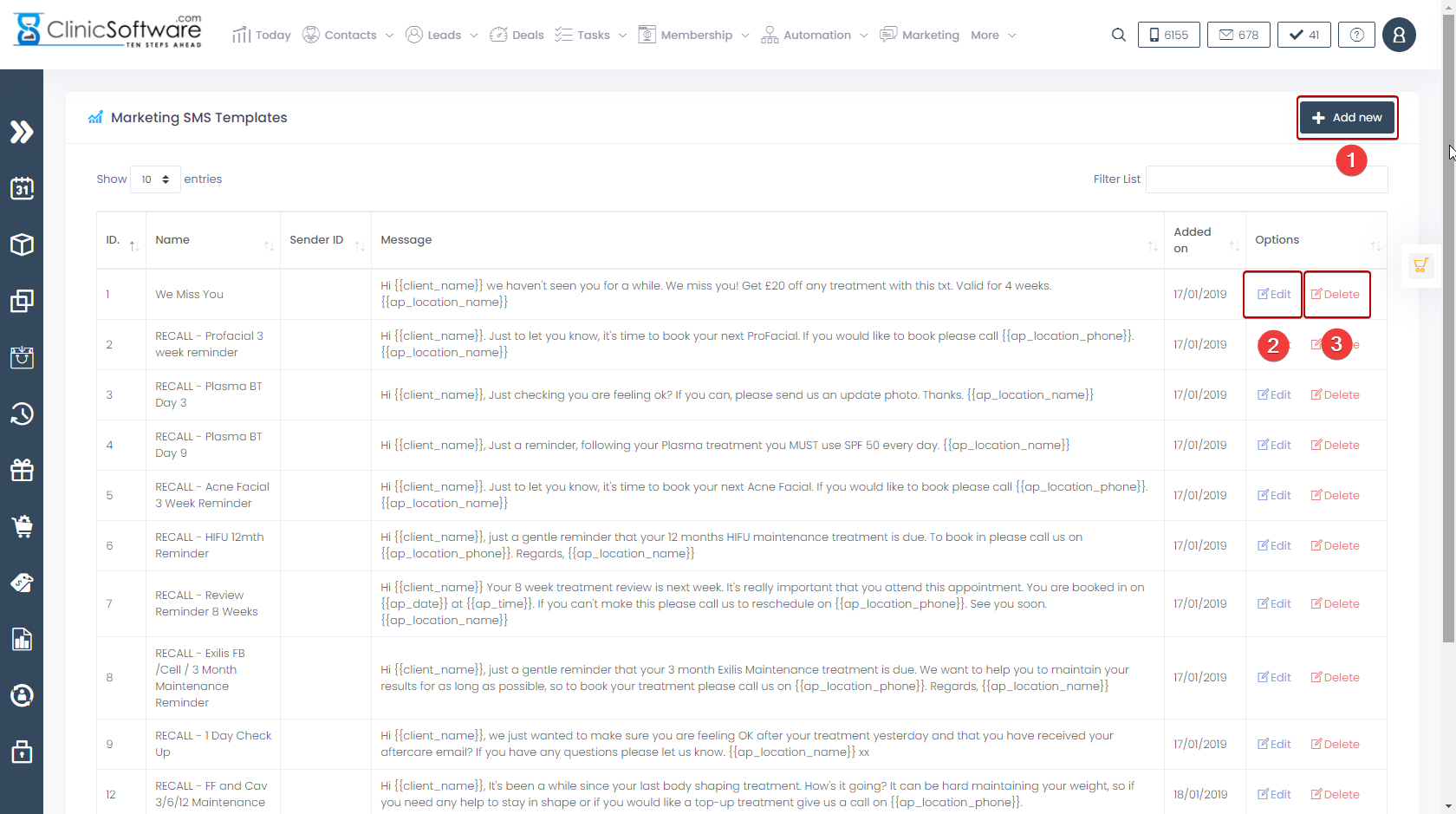
 

  1. To add a new SMS template click on the button labelled “Add New”
  2. To edit an SMS template click on the button labelled “Edit”
  3. To delete an SMS template click on the button labelled “Delete”

Once you have pressed the button labelled “Add New”, you will be taken to this page:
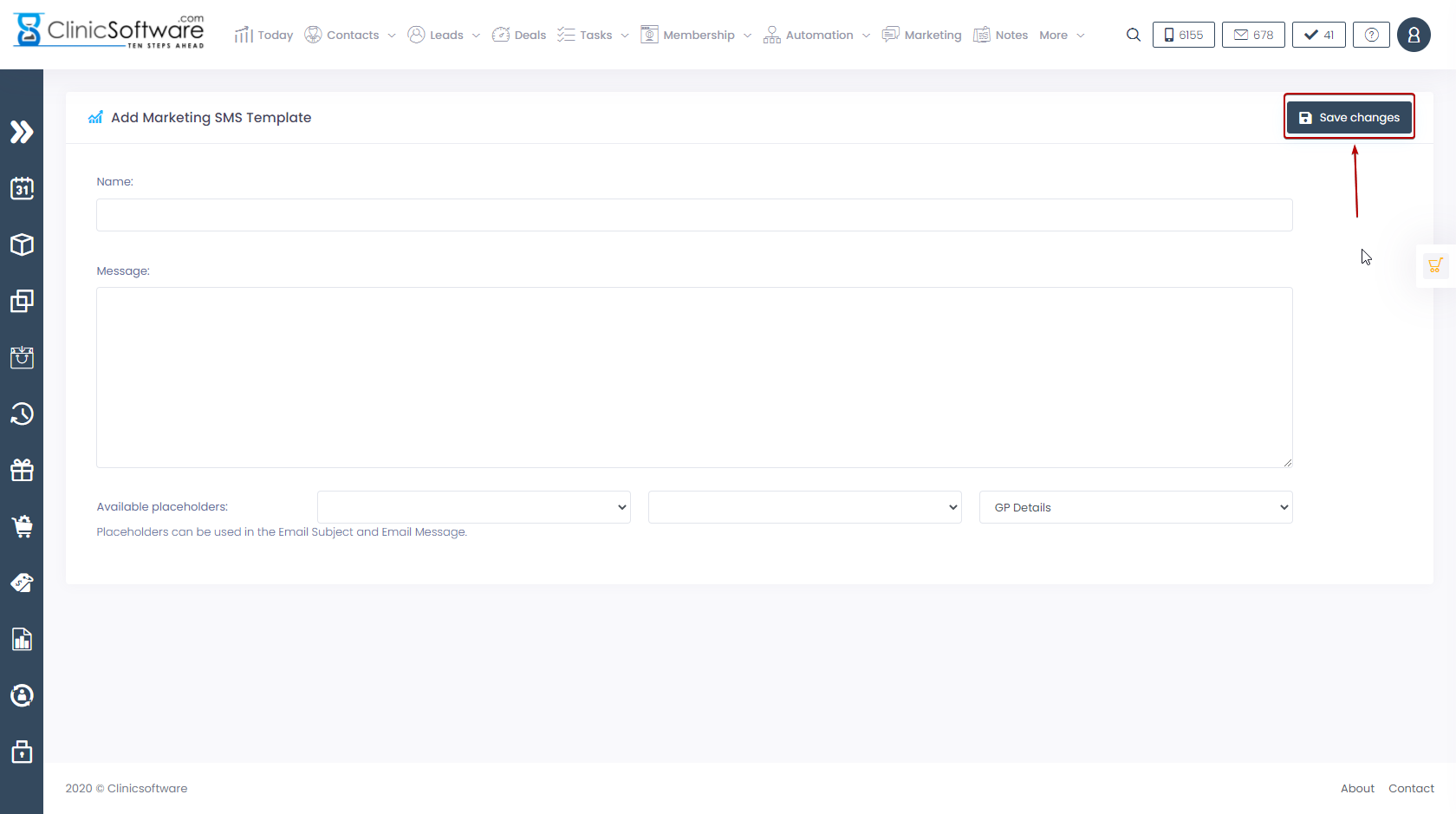
 

From here you will be able to name your template. Enter your message in the message field. Please note that you also have the capability to use placeholders.

Once you are happy with your SMS template press the button labelled “Save changes” and your new SMS template will be created and you will be able to use it for the marketing automation:


© 2017 ClinicSoftware.com